![RichardsonLogo-3.png]](https://ithelpdesk.richardsoncap.com/hs-fs/hubfs/RichardsonLogo-3.png?height=39&name=RichardsonLogo-3.png)
Please Watch the Video in Paylocity (if it doesn't work, try logging into Paylocity in another tab and then opening the link): Training Video from Paylocity
Adding a Missed Punch
1. Go to Time and Labor from the menu on the left panel.
2. Under Activity, select Request Add Punch
3. Fill in the date, time and punch type 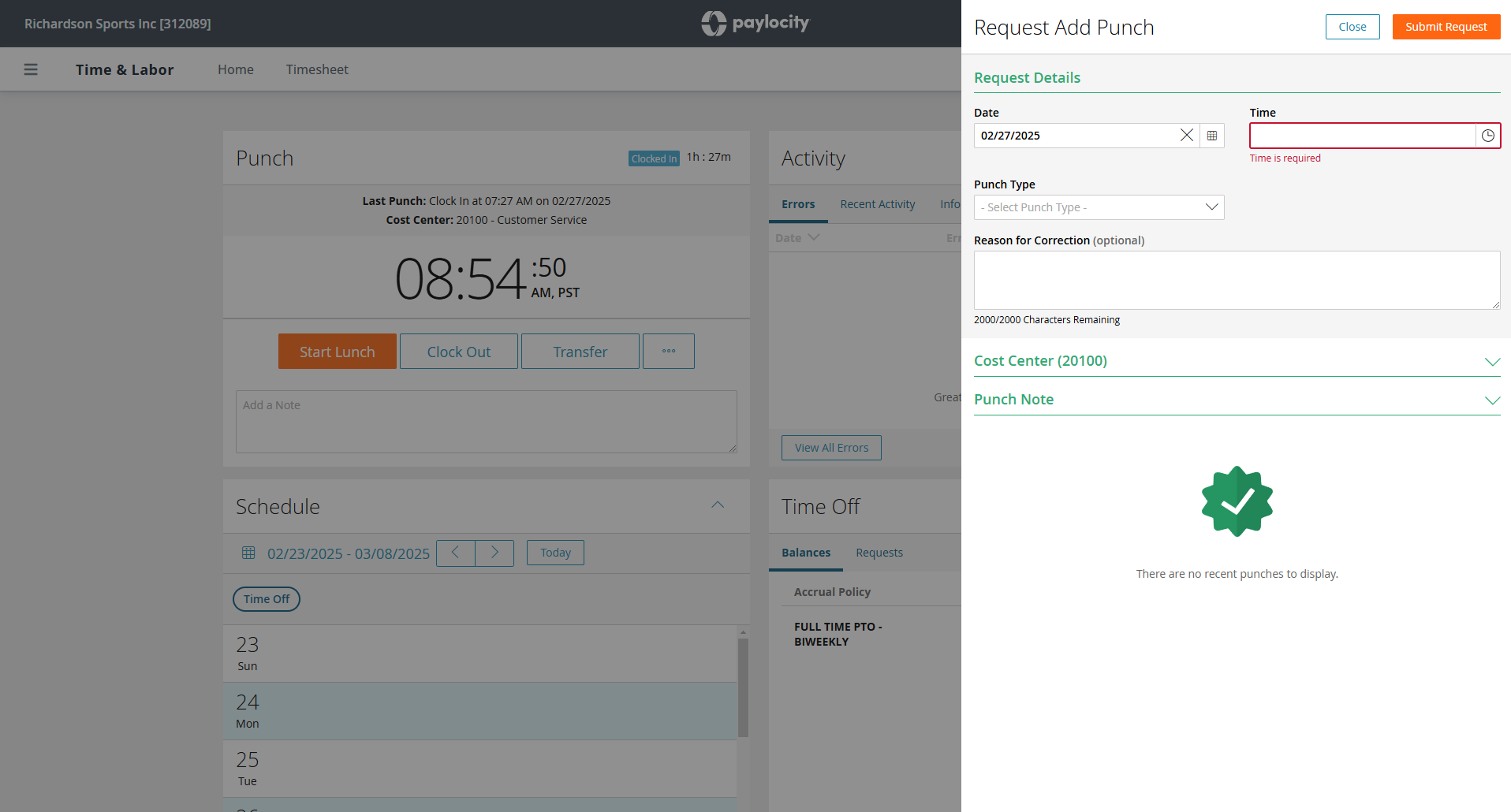
Correcting a Punch
1. On the same Time and Labor Screen under Activity, you will see Recent Activity
2. Click the 3 dots next to the punch you would like to correct to request your correction