![RichardsonLogo-3.png]](https://ithelpdesk.richardsoncap.com/hs-fs/hubfs/RichardsonLogo-3.png?height=39&name=RichardsonLogo-3.png)
The error message may look something like this:

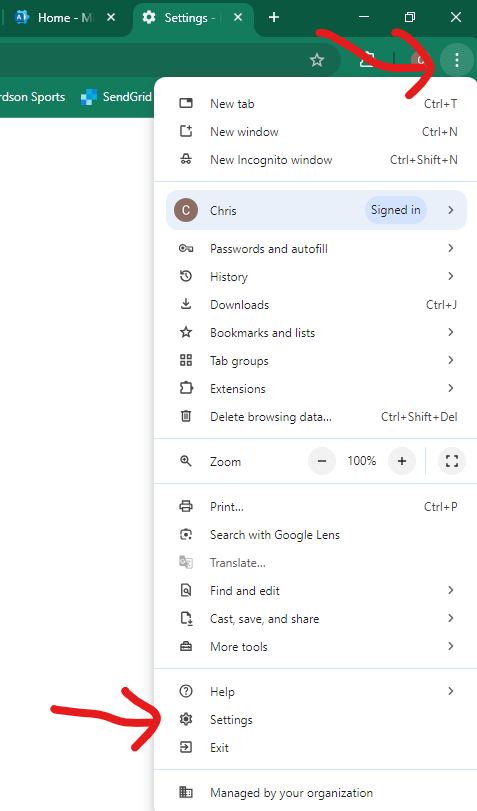
1) Click the 3 dots at the top right in Google Chrome and click on Settings
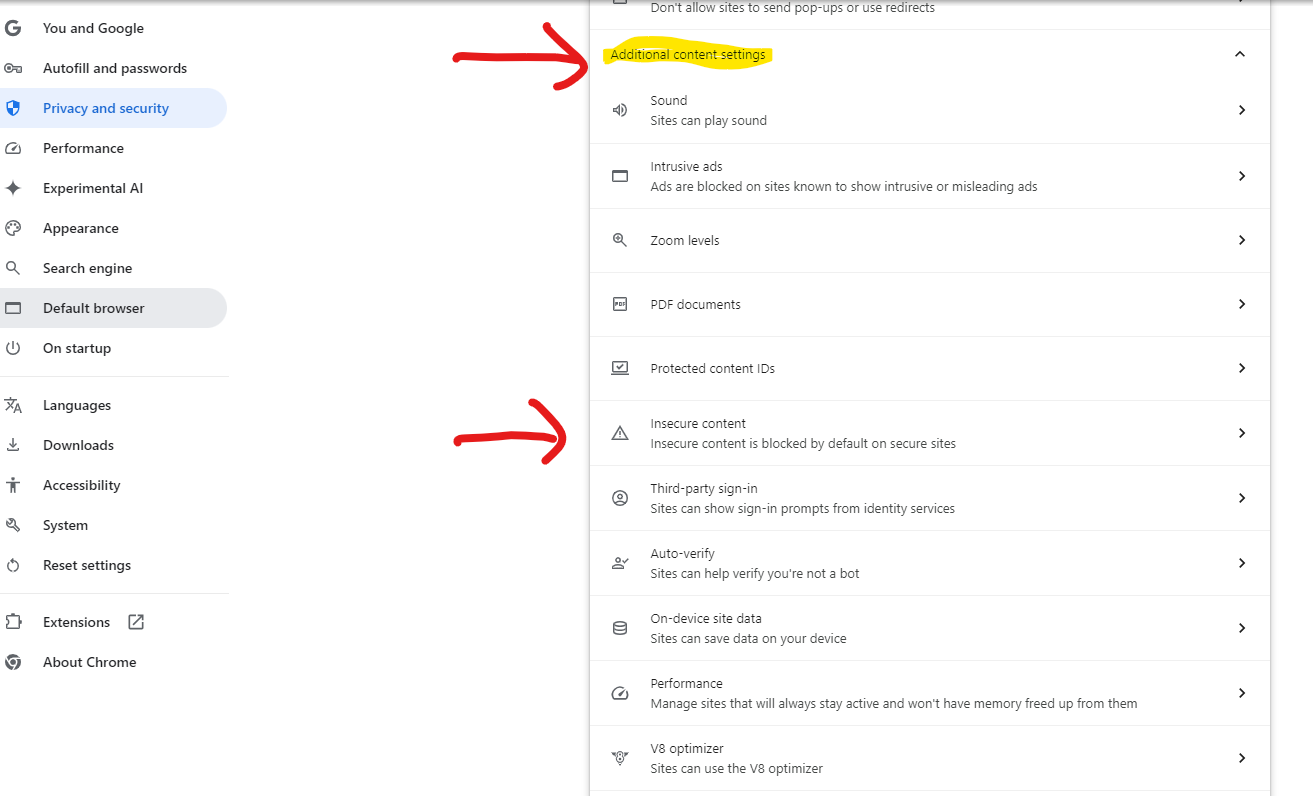
2) Click on Privacy and Security in the left panel of the settings menu, then click Site Settings

3) Scroll to the bottom of the site settings menu, then click on "Additional Content Settings" to reveal more options. From there, click on "Insecure Content"
4) Click on the "add" button next to "Allowed to show insecure content", and copy the ewo link.
http://rsi-ews2-prod:81
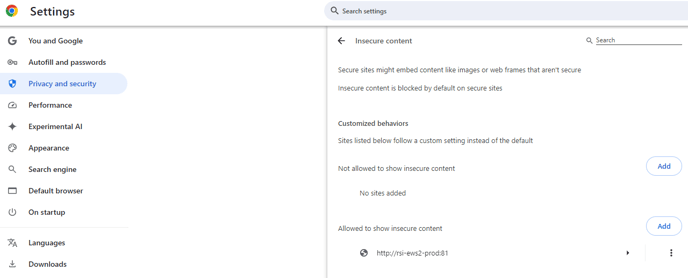
5) Repeat step 4 to add the additional link for EWO
http://rsi-ews1-prod:81