![RichardsonLogo-3.png]](https://ithelpdesk.richardsoncap.com/hs-fs/hubfs/RichardsonLogo-3.png?height=39&name=RichardsonLogo-3.png)
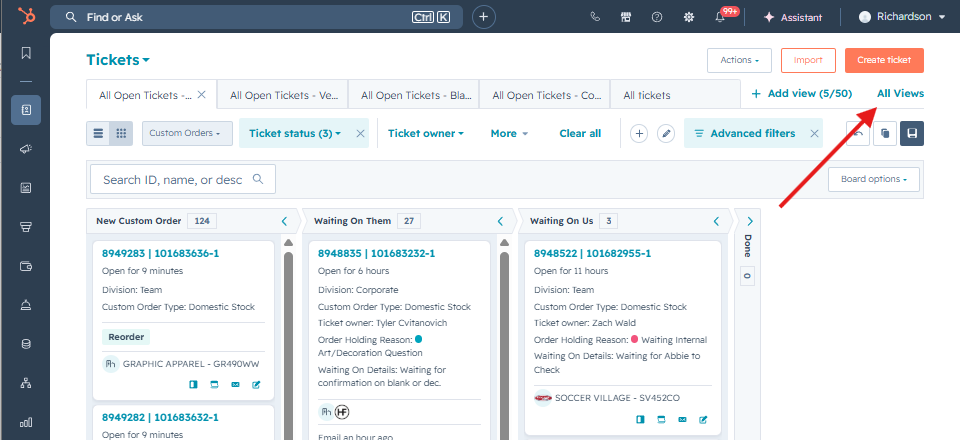
To make adjustments to views that you created and own, click All Views (top right of the screen, next to Add View).
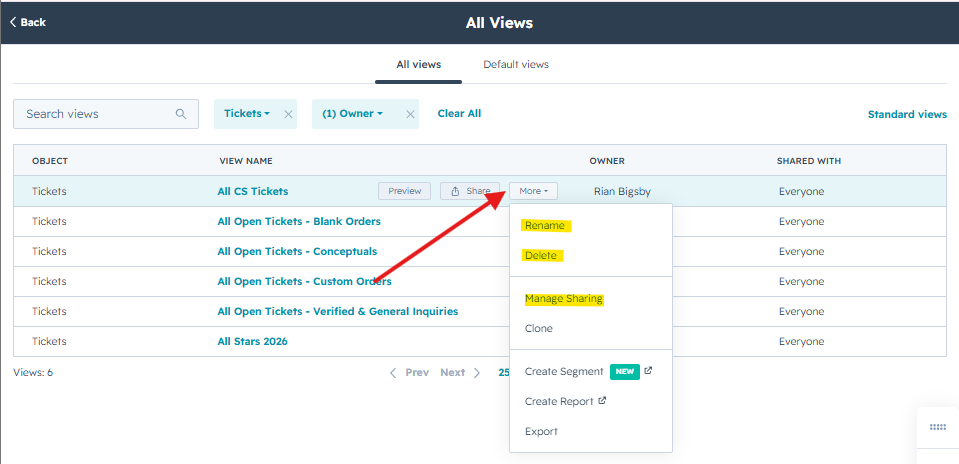
Search for the View Name, or click the dropdown for Owner to find the views you own.
Hover over the View and click More to Rename or Delete the View.
If you set your View to private but would like to give others access, click Manage Sharing. This will allow them to add the View you created and Clone it to make adjustments for themselves!