![RichardsonLogo-3.png]](https://ithelpdesk.richardsoncap.com/hs-fs/hubfs/RichardsonLogo-3.png?height=39&name=RichardsonLogo-3.png)
This customer can place orders for 6 pieces when the order is for a police department.
That sales rep is allowed to dropship internationally.
This dealer gets Premier pricing on decorated orders that ship to his default address.
That dealer requires all questions to be communicated via phone call.
These special circumstances are now trackable with our Account Instructions Property!
Here are your steps for adding Account Instructions -
1. Go to the Company Page and navigate to the CS Account Notes tab
2. In the Dealer-Specific Instructions section, add clear, concise text explaining the instructions to the Account Instructions Property. Please date (including year) and initial instructions for quick reference
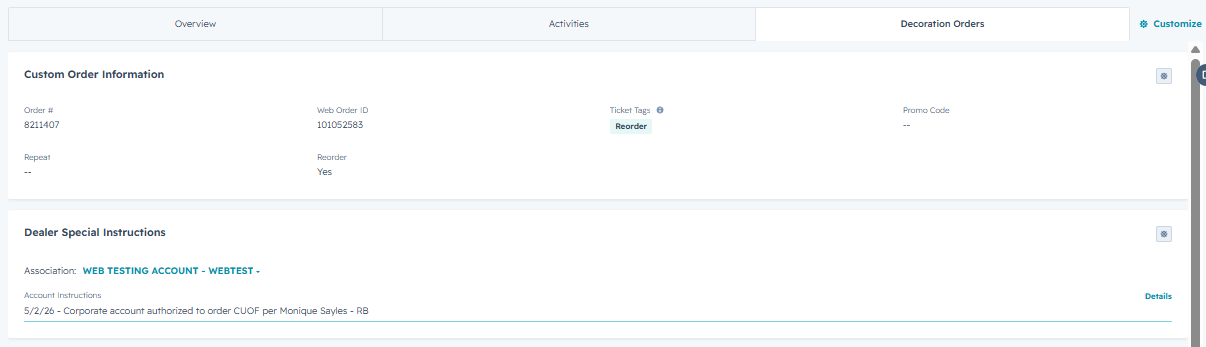
For example - 5/2/26 - INSTRUCTIONS - RB

4. Notes that are no longer relevant should be deleted. We can see a full change log and history by hovering over the property and clicking Details
5. If the Account Instructions property has been filled out, that information will display for anyone processing a ticket that is associated with this account
Please only add impactful, accurate and relevant information.